Understanding ZATCA Invoice Submission
ZATCA Phase 2 mandates that all VAT-registered businesses in Saudi Arabia submit electronic invoices through the Fatoora portal. Our software simplifies this process while ensuring full compliance with ZATCA requirements.
Prepare Invoice in Our Software
Create your invoice as you normally would in our accounting software. Ensure all mandatory fields are completed:
- Go to Settings > Data settings
- Select [DSO-351] Invoice Reporting and Clearance
- Click edit > Show
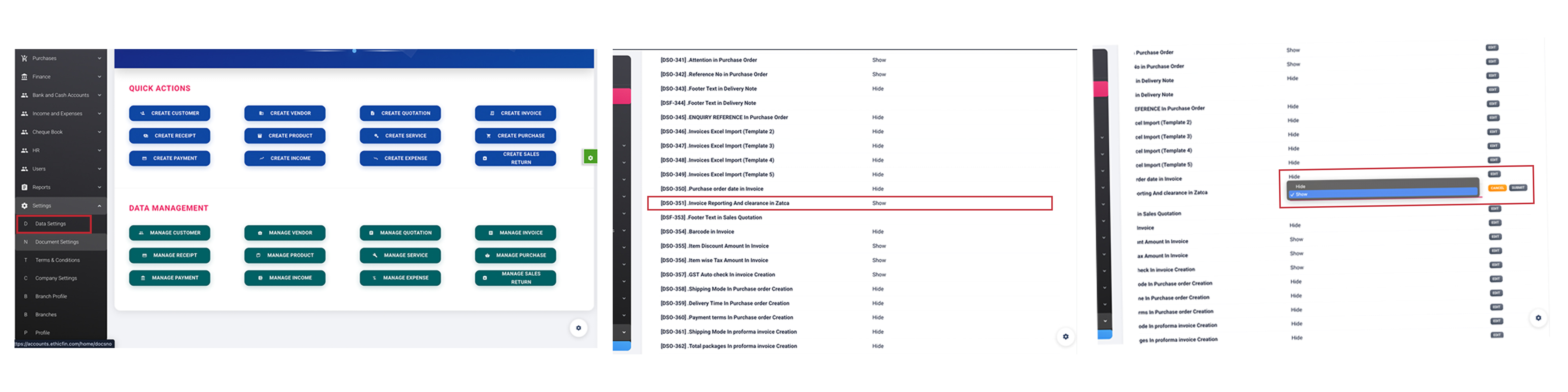
Generate ZATCA-Compliant Invoices
Once your invoice is ready, you can see the "Clearance | reporting" option. Our software will:
- Convert the invoice to UBL 2.1 XML format
- Apply the digital signature using your certificate
- Generate the required QR code
- Create a unique cryptographic stamp (hash)
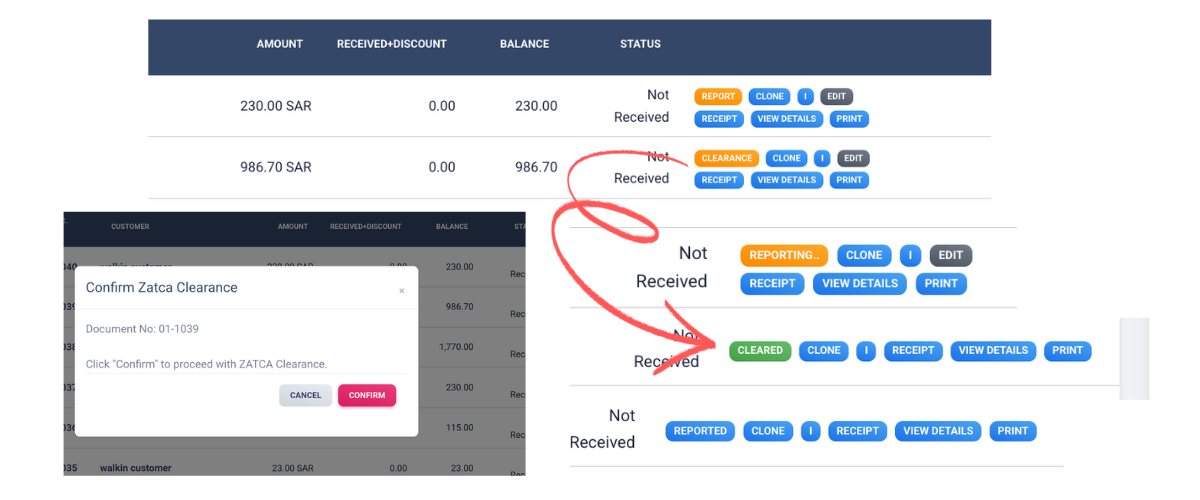
Common Pitfall
Ensure that the details entered in the invoice are correct as you cannot edit or delete the invoice once it has been marked as Sent.
Once an invoice has been marked as Cleared, the values displayed in the PDF cannot be edited and the invoice cannot be deleted. Instead, you can create a corresponding debit or credit note if you need to make any adjustments.
E-invoicing Template
As per the ZATCA rules, invoices must be in Arabic and certain fields are mandatory. We've 130+ Templates that are compliant with ZATCA:
- Go to Settings and navigate to Data settings
- Invoice template - Select Template No.
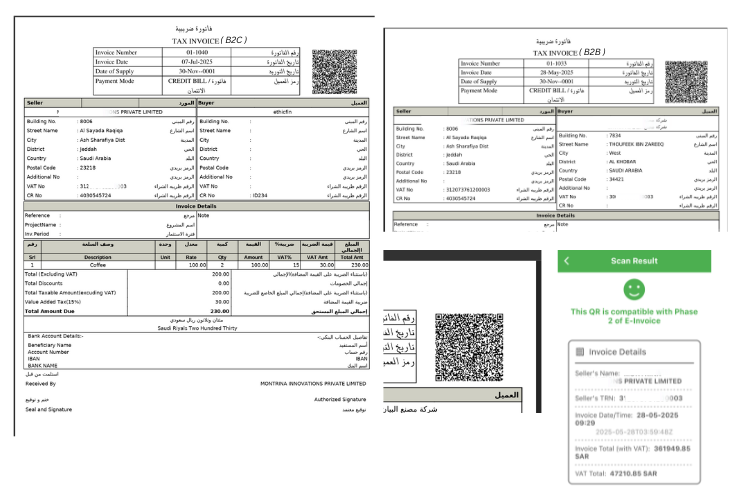
Template Selection
Choose the appropriate template based on your business type (B2B, B2C, etc.) and ensure all mandatory Arabic fields are properly configured.
Critical Compliance Checklist
Before submitting any invoice to ZATCA, verify these essential compliance requirements:
Mandatory Fields
Invoice contains all 32 mandatory fields specified by ZATCA including UUID, invoice counter, and cryptographic stamp.
QR Code
QR code includes all required TLV-encoded values: Seller name, VAT number, invoice date/time, total with VAT, and VAT amount.
Digital Signature
XML file is properly signed with a valid, unexpired digital certificate approved by ZATCA.
Tax Calculation
VAT is calculated correctly according to Saudi tax regulations (15% standard rate, with proper exemptions if applicable).